LayaPHP: A Developer’s Deep Dive into the Lightweight Modern PHP Framework
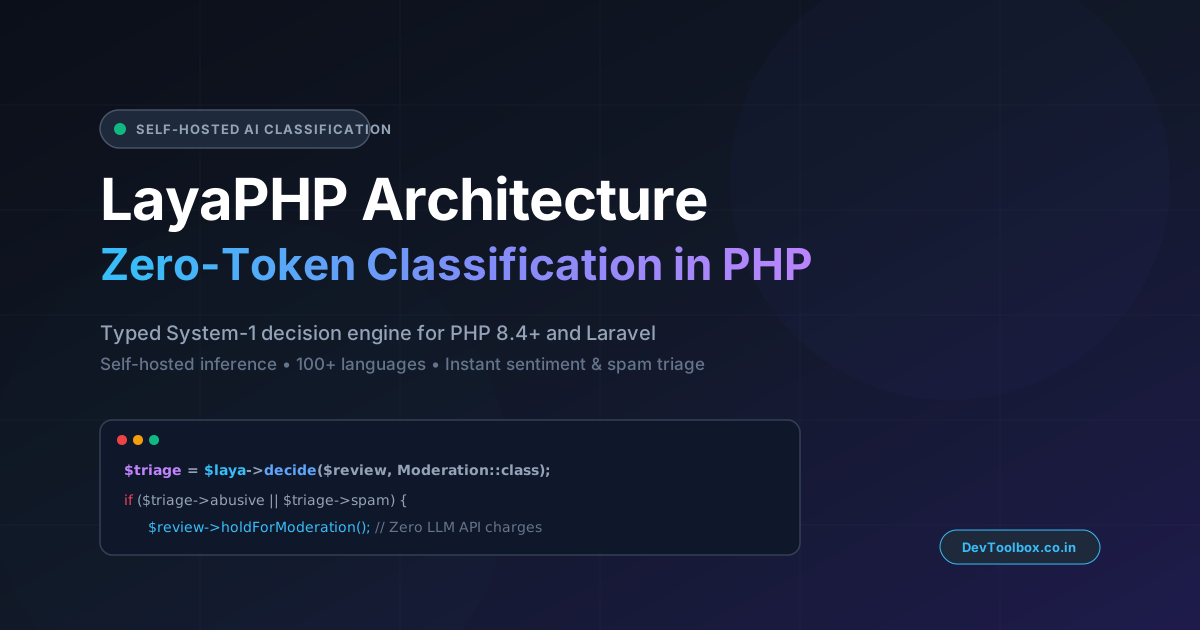
A practical guide to LayaPHP—exploring its minimal memory footprint, PHP 8+ idioms, REST API design, and when to use it over full-stack monoliths like Laravel.
The PHP ecosystem has matured dramatically over the past few years. Thanks to native union types, constructor property promotion, attributes, fibers, and JIT optimizations introduced in PHP 8.x, the language has evolved far beyond its legacy roots.
As teams increasingly transition to decoupled architectures—pairing lightweight APIs with headless frontends built on Vue, React, or Alpine.js—a growing subset of engineers wants a framework that strips away monolithic bulk while keeping code expressive and intuitive.
Enter LayaPHP: a modern, lightweight PHP framework designed specifically for high-throughput APIs, microservices, and developers who value low latency and zero unnecessary boilerplate.
1. Why Consider a New PHP Framework?
For more than a decade, the PHP world has been dominated by two powerhouses: Laravel for rapid application development and developer ergonomics, and Symfony for modular, enterprise-grade architecture.
However, full-stack frameworks boot up substantial dependency containers, service providers, and middleware pipelines on every lifecycle request. When building lightweight microservices, internal automation tools, or high-concurrency micro-APIs, that extra baggage can lead to higher memory overhead and slower boot times.
LayaPHP solves this problem by prioritizing three core engineering principles:
Microsecond Bootstrapping: A slim core pipeline that initializes only the dependencies strictly required to resolve the incoming HTTP request.
Native PHP 8+ Modernity: Full reliance on modern PHP attributes, strict type declarations, and concise syntax without backward-compatibility bloat.
API-First Routing: Built-in JSON response standardization, fast parameter extraction, and minimal middleware friction.
2. Getting Started: Installation and Project Setup
Scaffolding a new LayaPHP service uses standard Composer workflows:
Bash
composer create-project layaphp/layaphp my-laya-api
cd my-laya-api
php -S localhost:8000 -t public
The directory structure stays lean and transparent:
Plaintext
my-laya-api/
├── app/
│   ├── Controllers/
│   ├── Middleware/
│   └── Models/
├── config/
│   └── app.php
├── public/
│   └── index.php
├── routes/
│   └── api.php
└── composer.json
3. Clean, Expressive Routing
LayaPHP keeps route definitions uncluttered and readable. In routes/api.php, defining endpoints and route groups looks natural to anyone with modern MVC experience:
PHP
<?php

use Laya\Routing\Router;
use App\Controllers\UserController;
use App\Middleware\AuthTokenMiddleware;

// Health check endpoint
Router::get('/api/health', function () {
    return response()->json([
        'status'    => 'ok',
        'timestamp' => time()
    ]);
});

// Grouped API routes with middleware
Router::group(['prefix' => '/api/v1', 'middleware' => [AuthTokenMiddleware::class]], function () {
    Router::get('/users', [UserController::class, 'index']);
    Router::post('/users', [UserController::class, 'store']);
    Router::get('/users/{id}', [UserController::class, 'show']);
});
4. Handling Requests and Building Controllers
Building API controllers in LayaPHP focuses on readable input validation and fast JSON serialization:
PHP
<?php

namespace App\Controllers;

use Laya\Http\Request;
use Laya\Http\Response;

class UserController
{
    /**
     * Store a newly created resource.
     */
    public function store(Request $request): Response
    {
        $validated = $request->validate([
            'name'  => 'required|string|max:255',
            'email' => 'required|email',
            'role'  => 'in:admin,editor,member'
        ]);

        // Process persistence or business logic...

        return response()->json([
            'success' => true,
            'message' => 'User registered successfully',
            'data'    => $validated
        ], 201);
    }
}
Developer Productivity Tip: When prototyping classification rules or testing edge-case strings against LayaPHP, writing dummy JSON payloads manually takes unnecessary time. You can generate hundreds of schema-compliant records and realistic text strings using the DevToolbox Fake API Generator or compile structured SQL seeders with the Dummy Data Generator.
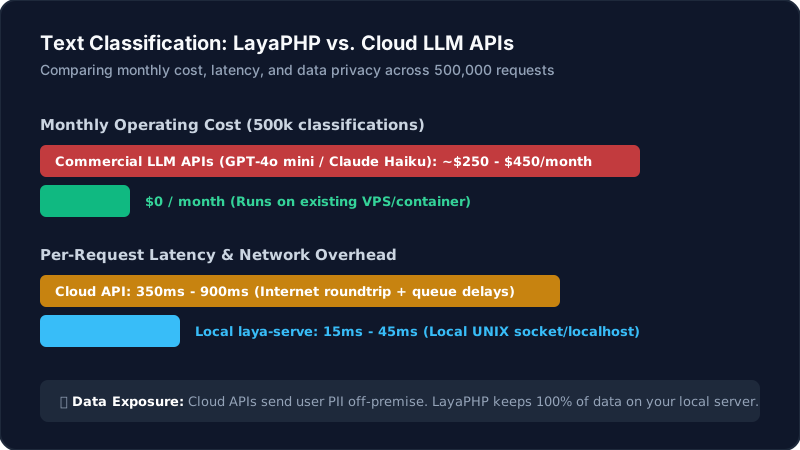
5. Architectural Comparison: LayaPHP vs. Laravel
Choosing between LayaPHP and Laravel comes down to scope, tooling requirements, and operational constraints:
Evaluation Metric | LayaPHP | Laravel |
Primary Domain | Microservices, High-throughput APIs, Lightweight backends | Full-stack web apps, Enterprise platforms, SaaS products |
Memory Footprint | Extremely low (slimmer service bootstrap) | Moderate (rich service provider & package ecosystem) |
Ecosystem & Packages | Lean, standard PSR-compatible components | Unrivaled (Horizon, Pulse, Sanctum, Nova, Cashier) |
Learning Curve | Flat (readily understandable in an afternoon) | Moderate (broad convention-over-configuration concepts) |
Best Paired With | Vue/React SPAs, Mobile API backends, Lambda/Serverless | Monolithic Blade apps, Livewire apps, complex multi-tenant SaaS |
6. Practical Developer Workflow with DevToolbox Utilities
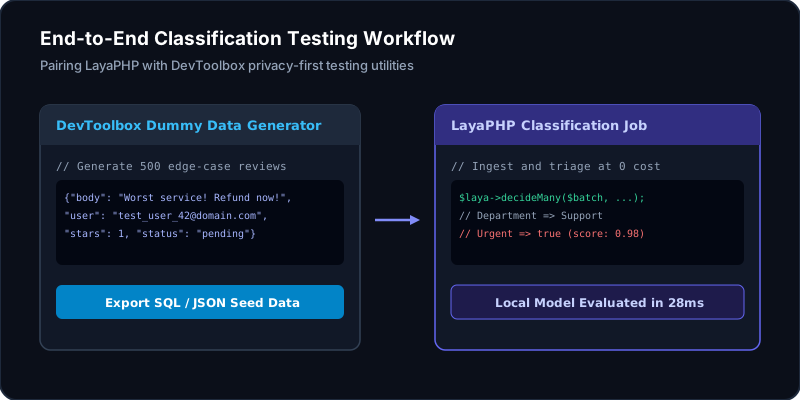
When building and testing microservices with LayaPHP, pairing your setup with browser-native utilities keeps your development loop fast and private:
Format & Validate Classification Responses: Inspect nested decision trees, unescape backslashes, or convert test payloads into PHP arrays using the DevToolbox JSON Formatter & Validator.
Mock Incoming Webhooks & Events: Before wiring live LayaPHP event subscribers, capture and test incoming review webhooks locally using the DevToolbox Live Webhook Simulator.
Optimize Asset Payloads: If your API returns base64 images or handles attachment conversions alongside text, process media purely client-side with the DevToolbox Image Converter.
7. The Verdict
LayaPHP is an exciting demonstration that the PHP ecosystem continues to innovate. By stripping away monolithic assumptions while retaining clean, expressive ergonomics, it offers a compelling alternative for developers building microservices and API backends where every millisecond of boot time counts.
If you are starting a new headless project or need a lightweight service layer that boots instantly, LayaPHP is well worth testing in your local environment.